
-89%


Safebyte Technology & IT Solutions WordPress Theme
Original price was: $39.00.$4.99Current price is: $4.99.
Elementor Pro WordPress Builder
Original price was: $399.00.$4.99Current price is: $4.99.
Moren Fashion Store WooCommerce Theme
Original price was: $47.00.$4.99Current price is: $4.99.
20
People watching this product now!
Description
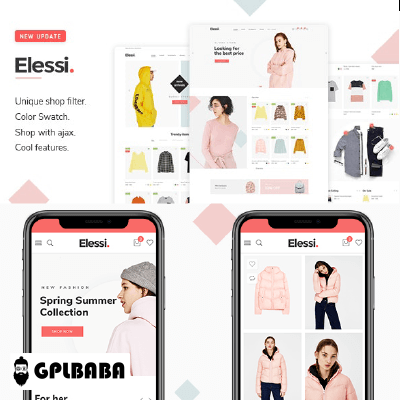
Moren Fashion Store WooCommerce Theme
Reviews (0)
Only logged in customers who have purchased this product may leave a review.
How to Install?
How to Install or Update a Plugin
- Login to gplbaba.com and download the Zip file for the plugin you wish to install.
- Login to your WordPress site.
- Go to Plugins and then Select Add New Plugin.
- At the top of the screen, Press the Upload Plugin and then Choose File.
- Please Open and Check Each Zip File for Nested Zip Files Before Uploading.
- Extract it If There is Any Other Zip Inside.
- Select a.zip file with the plugin that you want to add.
- Select the “Install Now” button.
- Once installed, press the “Activate” button.
How to install or Update a theme
- Login to gplbaba.com and download the Zip file for the Theme you wish to install.
- Login to your WordPress site.
- Go to Appearance and then Themes.
- At the top of the screen, press the Add New and then the Upload Theme button.
- Please Open and Check Each Zip File for Nested Zip Files Before Uploading.
- Extract it If There is Any Other Zip Inside.
- Select a.zip file with the theme that you want to add.
- Select the “Install Now” button.
- Once installed, press the “Activate” button.
- Make sure if you may have to add additional Theme-related Plugins. If so, please follow the instructions above for plugin installation.
Why So Affordable?
Why are the Themes and Plugins so affordable on GPLBABA?
- All WordPress items, such as plugins and themes, are licensed under the General Public License (GPL).
- This means that once we have purchased the item, we are free to redistribute it if we choose to do so.
- Your purchase of our site goes towards maintaining and buying new products for 3rd party themes and plugin authors.
- This crowd funding helps keep prices low, and we can then pass this benefit on to you.
- Our product doesn’t include premium support. That’s why we can offer up to 95% discounts on must-have commercial WordPress themes and plugins.





Reviews
Clear filtersThere are no reviews yet.